On the Mac App Store For Zendesk agents

Single Tab for Zendesk

One tab. Every Zendesk link.

A small Safari extension for people who live in a Zendesk queue. Every ticket link you click lands in the one Zendesk tab you already have open — so your browser stays exactly as tidy at five o'clock as it was at nine.

$2.99 on the Mac App Store. One payment, no subscription.
Single Tab for Zendesk app icon
First, the obvious question

What's Zendesk?

Zendesk is the help-desk software a great many companies use to handle customer support. Every question that comes in — by email, by phone, from a web form — becomes a ticket, and the people answering them work through a queue of those tickets in their browser all day.

This app is only for people who use Zendesk. If that's not you, it won't do anything — but if you spend your day in a ticket queue, read on.

By mid-afternoon, Safari is a wall of tabs.

You're working through the queue. Every ticket you open, every link you click — a brand-new tab. Then you're hunting through twenty of them for the one you had a minute ago. It's slow, and it's exhausting, and nothing about it is your fault.

See The Difference

The tabs move, they don't disappear.

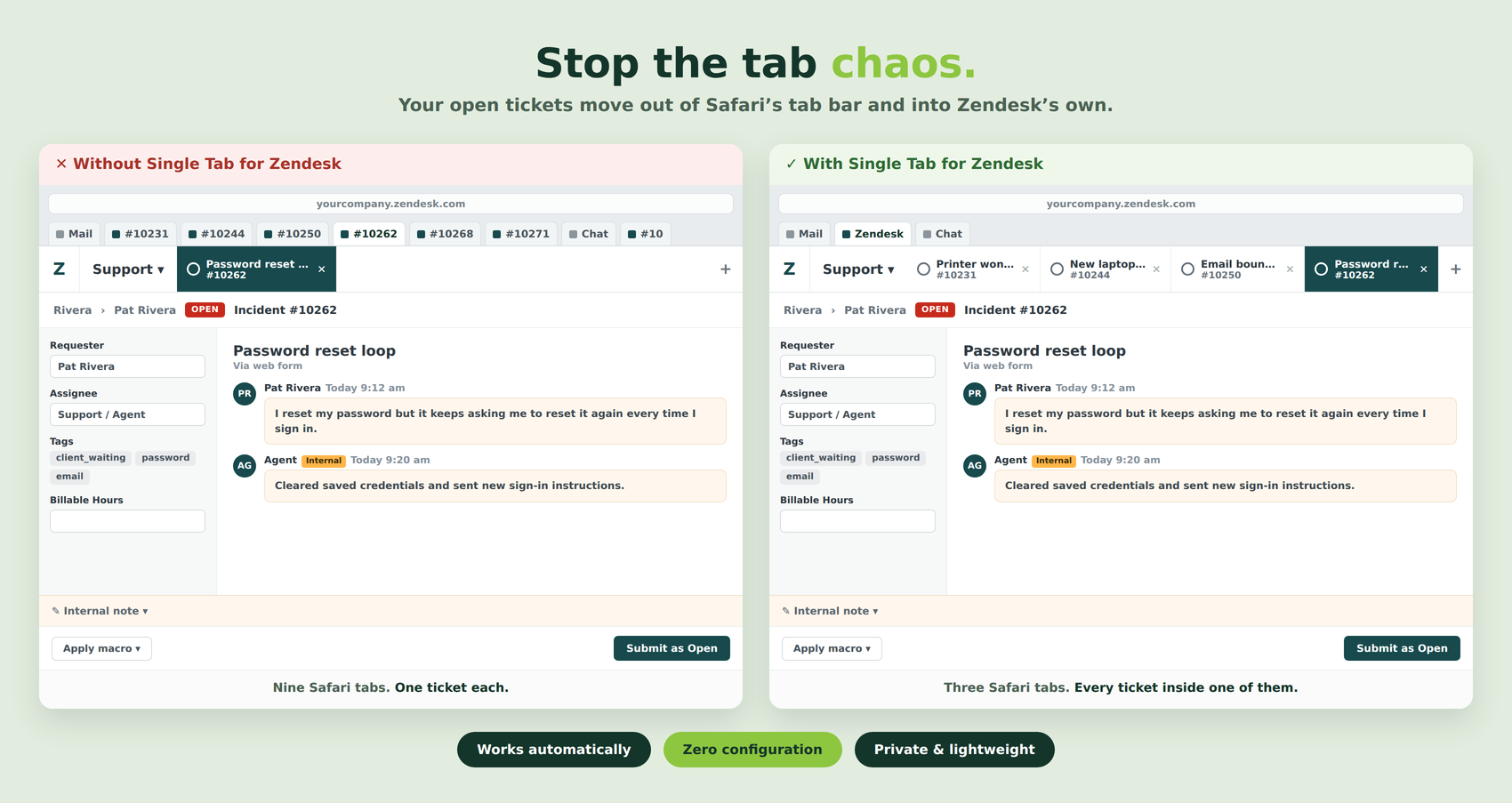
Without it, every ticket you open is another Safari tab. With it, Safari keeps one Zendesk tab and your open tickets become Zendesk's own tabs, along the top of the page where they belong.

Side by side: without the app, nine ticket tabs fill Safari's tab bar; with it, Safari has one Zendesk tab and the tickets appear as tabs inside Zendesk

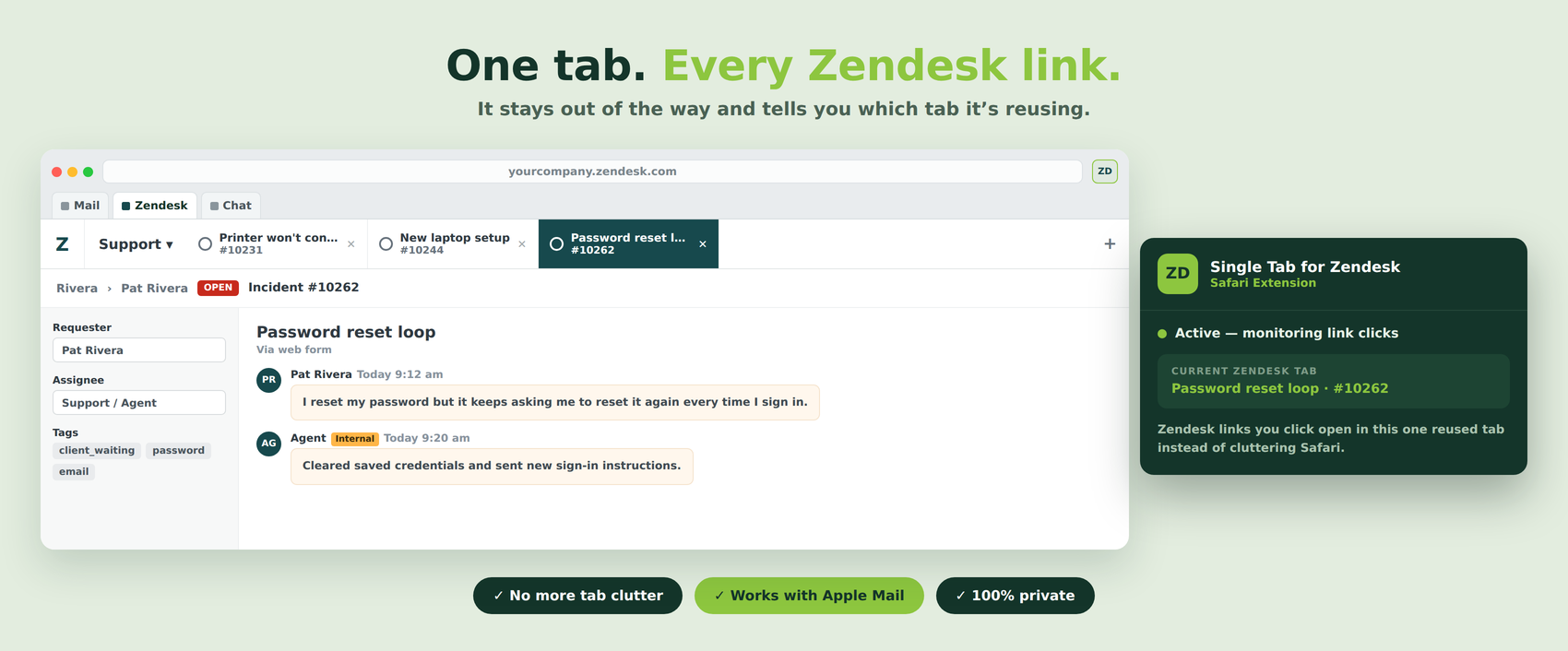
It stays out of the way while it works — the extension just reports which tab it's reusing:

The Single Tab for Zendesk extension popover showing it is active and naming the Zendesk tab being reused
What's Inside

It does one thing, and then leaves you alone

🗂️

Works automatically

Switch it on once. There is no button to press and nothing to do per link — open Zendesk and get on with your day.

⚙️

Nothing to configure

No account, no sign-in, no settings to wrestle with. It works across any .zendesk.com address without being told about yours.

✉️

Catches links from Mail too

A ticket link clicked in Apple Mail lands in the same tab as everything else, instead of starting a new pile.

🪶

Genuinely lightweight

A small Safari extension that watches for Zendesk links and does nothing else. Safari doesn't get slower.

🔒

Collects nothing

No tracking, no analytics, no data leaving your Mac. Apple's own privacy label on the App Store says the same.

🍎

Made for Apple

Built for Safari on macOS by an Apple consultant who has supported Apple users since 2002 — and who uses it every day.

How It Works

Three steps, once.

1

Get it from the App Store

$2.99, one payment. No subscription.

2

Turn the extension on

Safari → Settings → Extensions, and tick Single Tab for Zendesk.

3

Work the way you already do

Click tickets as normal. They stop piling up.

Questions

Good to know

How much is it?

$2.99 on the Mac App Store. One payment, no subscription and no in-app purchases.

What do I need to run it?

A Zendesk account you work in, a Mac running macOS 13.5 (Ventura) or later, and Safari. It is a Safari extension, so it doesn't work in Chrome or Firefox — and it has nothing to do outside Zendesk.

Do I have to tell it my Zendesk address?

No. It recognizes any .zendesk.com address on its own, so it works the same whether you're in one instance or several.

What happens to the tab I'm already using?

It gets reused. The link you click loads in the Zendesk tab you already had open, and comes to the front — so you never lose your place in the queue.

Does it see my tickets?

No. It watches for Zendesk links being clicked and redirects them. Nothing is collected, stored or sent anywhere — the App Store privacy label says "Data Not Collected".

Who made it?

G Wiz Computer Consulting in Wharton, NJ. Apple-focused IT support since 2002 — and a daily Zendesk user, which is how this came about.


Why We Built It

A small annoyance, a hundred times a day, turns into daily frustration

Open a ticket in Zendesk and Safari gives you a new tab for it. Do that all day and you end up with dozens, hunting through them for the one you were reading a minute ago. Neither Safari nor Zendesk has a setting that stops it — so we wrote a small extension that does.

Ready for a quieter browser?

One tab, all day.

$2.99 on the Mac App Store. One payment, no subscription, nothing to set up.

Download on the Mac App Store